
ACCOUNT
Account access
Check phone verification, personal-detail requirements and login recovery from one account area.
nex55 puts Super Sic Bo, Fishing God, live tables, slots and sportsbook markets behind one phone-verified account, with DANA and QRIS visible from Home.
Access is available only where local law permits.
Our Home game area opens with casino and slots, then lets you move into live tables, Fishing God and other categories.

Our Home lobby places slots first, followed by live tables, Fishing God rooms and sportsbook categories, with wallet status kept within easy reach.
Pragmatic Play, PG Soft and Habanero appear alongside established Asian-facing studios, giving our Home lobby recognisable slot styles and mobile-friendly game screens.
DANA, OVO, GoPay and QRIS appear as separate cashier choices, so you can select the rail you actually use.
Home is more useful when every important destination has a clear purpose. We keep durable areas for account access, game categories, transaction status, policy terms and customer help.

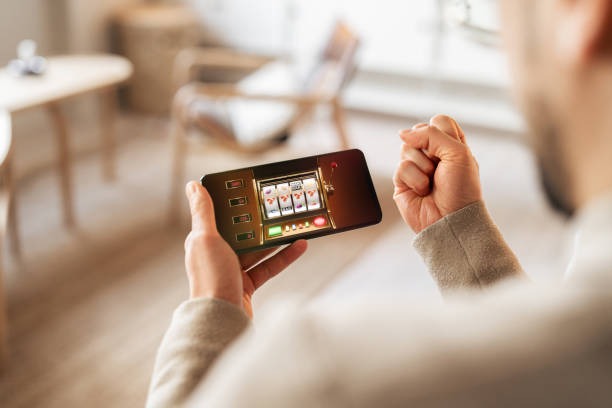

Your first Home visit should answer four practical questions: how to open an account, which details require verification, what sits inside the lobby and where account…
Choose the account entry from Home, enter your mobile number and requested personal details, then complete phone verification before the casino and wallet areas become available.
Use your own name and an active phone number. Matching account and wallet names helps our team check withdrawal requests without sending you back through avoidable correction steps.
Home links directly to casino slots, live baccarat, roulette, Dragon Tiger, blackjack, football, badminton and basketball categories, so you can confirm what interests you before adding funds.
Keep your password private, finish phone verification and sign out on shared devices. Our account path also shows support access when a login attempt or verification step stalls.
Account and cashier problems are easier to resolve when the relevant path stays close. Live chat handles login, verification and transaction-status questions, while email suits receipt checks and cases needing more detail. On mobile, open help from the Home menu or cashier area. Include your account reference and transaction reference, but never send your password to our team.
Open chat from Home or beside the cashier when login, wallet status or phone verification stalls. The chat panel displays current service availability before you send your message.
Use email when a case needs a receipt, screenshot or detailed timeline. Include the transaction reference and account identifier, while keeping passwords and private credentials out of the message.
The mobile menu keeps help close to login, lobby and cashier paths. You can check a response without leaving the browser session or searching for a separate application.
The mobile Home path keeps account access, game search, wallet status and help within the same browser flow.
Phone verification comes before full account access, giving us a clear link between your account and active number.
We ask you to verify the mobile number connected to your account before full access. This reduces login confusion and gives support a clear starting point for recovery.
Create a password you do not reuse elsewhere and never send it through chat or email. Sign out after using a shared phone, tablet or computer.
Use account details that match your selected wallet or bank record. A mismatch may pause withdrawal handling while our team checks the request and supporting receipt.
Open each game panel to inspect its paytable, table limits and round conditions. For sportsbook selections, read the market and settlement wording before confirming your entry.
Scattered searches make it harder to confirm whether a game, wallet instruction or support contact belongs to your account journey. Our Home page keeps the relevant destinations under one navigation structure.
Home sends you to the current account entry and phone-verification path. Scattered links may lead to outdated forms or leave you unsure which details are actually required.
Our navigation shows the casino, slots, live tables, fishing and sportsbook areas currently connected to your session instead of relying on old game lists saved elsewhere.
DANA, OVO, GoPay, QRIS, virtual account and bank transfer choices appear within the account cashier, where you can also check the submitted transaction status.
Live chat opens near account and cashier paths, giving our team better context for login or receipt questions than an unrelated contact address found outside Home.
Footer links provide current account, privacy and access terms. Saved screenshots can miss later wording or omit the condition that applies to your request.
The same browser account connects phone, tablet and computer sessions. You can return to the Home lobby without searching for a different regional application.
Return settings and round rules vary by game, studio and table. Home takes you to category pages, while the individual game screen is where you should inspect its paytable, return details, feature…

Open the title panel for its stated return details, paytable, feature rules and available stake range.
Check table limits, betting windows and result history within the live game screen before placing a…
Read the displayed rule variant for baccarat, roulette, blackjack, Dragon Tiger or Super Sic Bo.
Fishing God shows its controls, target values and round mechanics within the game interface.
Market rules, prices and settlement conditions appear with football, badminton and basketball selections.
RTP percentages are informational reference values from provider documentation. Actual session outcomes vary.
Our browser-based Home page serves supported regions across Indonesia, including access from Yogyakarta on compatible phone, tablet and computer browsers. Availability depends on local law and may vary by location, network or account status. We do not use a city-specific application or separate regional lobby. If Home does not load, check your connection, confirm the web address and contact live chat through the available support path.
Useful Home design is visible in the small operational details. The account path starts with phone verification, slots have a direct search field, local wallets remain…
Start with an active mobile number and complete the requested verification step before full access. The sequence reduces uncertainty about which account screen comes next.
Use the mobile search field to locate titles already available in the casino catalogue. Category filters provide another route when you want to browse by game style.
Baccarat, roulette, blackjack, Dragon Tiger and Super Sic Bo sit within the live area, with table limits and betting windows shown on the relevant screen.
DANA, OVO, GoPay and QRIS remain distinct cashier choices. Account history shows whether your submitted request is pending, completed or needs further checking.
Football, badminton and basketball markets have dedicated sportsbook paths. Each selection displays its price, market wording and settlement conditions before confirmation.
Live chat and email links stay close to account and cashier areas, so you can include the right reference when asking about verification or transaction status.
These answers cover what you can find on nex55 Home, how the account path works and where local cashier or support tools appear. They also explain mobile access, game categories and regional wording before you open an account. For a transaction-specific answer, check your account history and contact us with the displayed reference.
Begin at the account area if you are new, or use the lobby categories when your account is already active.
Open this path for account creation, phone verification, login recovery and personal-detail checks.
Choose slots, live casino, table games or fishing from Home.
Use this area to select a local rail, submit a transaction and check its status.
Footer links lead to account conditions, privacy wording and regional access terms.